Where to get it, how to install it, and what can go wrong
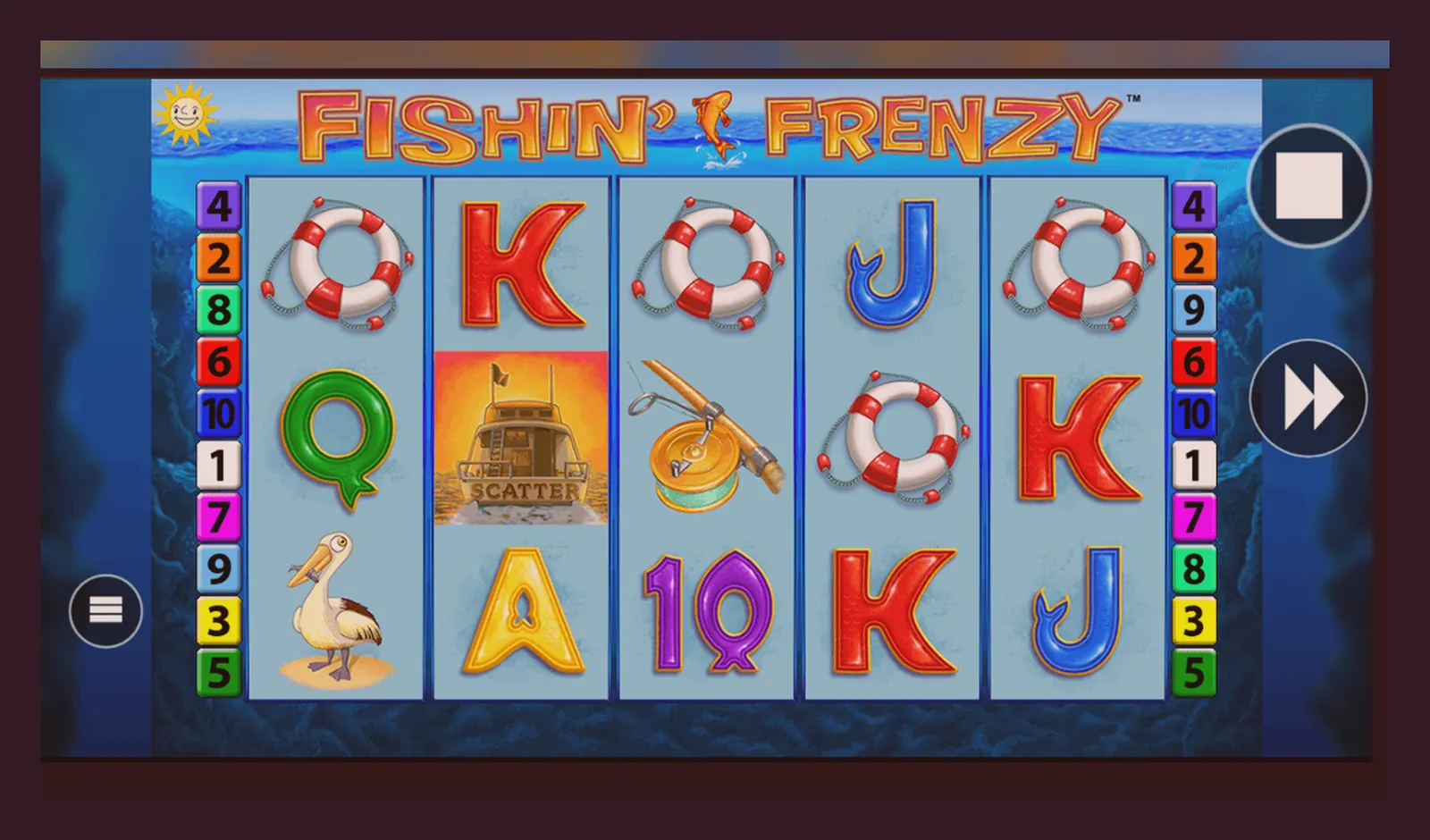
You open your phone's browser, type «Fishin' Frenzy app», and the first result promises a direct APK. The page looks legitimate—blue buttons, a download counter, even a fake 4.7-star rating. You tap install, grant permissions, and now an app you've never heard of wants access to your contacts and camera. That's the risk when you skip the operator and go hunting for shortcuts.
Fishin' Frenzy runs inside casino sites, not as a standalone app you download from a random page. A few UKGC-licensed operators package their full game library—including this slot—into an Android or iOS app, and those sit in the official stores or come as a web app you add to your home screen. An APK from a third-party site is either a repackaged slot with hidden permissions or a clone that steals credentials. This page walks through the legitimate install paths, the specs you'd see in a store listing, and the red flags that mark a fake.
The store card you won't find on Google Play—and why
If Fishin' Frenzy were a standalone app, its Play Store card would look like this—plausible numbers for a mid-tier slot title. In reality, the game lives inside operator apps, so you won't see this exact listing. The card below shows what a legitimate entry would contain, which helps you spot a fake when one appears in search results.
The rating sits in the low 4s because volatility frustrates players who don't understand that long dry spells are part of the maths, not a broken RNG. Downloads would cluster around half a million—popular enough to rank, not viral enough to hit tens of millions. Size reflects the base game engine, assets for one reel set, and the API that talks to the operator's backend. The update date matters: a listing frozen in 2023 is either abandoned or fake.
In-app purchases would list deposit tiers, not the spins themselves, because you're buying session credit. The UKGC requires operators to cap stakes at £5.00 per spin for most players, and £2.00 for anyone aged 18–24, so the purchase range reflects deposit limits rather than bet size. A fake app might show «Buy 1,000 coins for £0.99»—real UK casino apps never use coin-based microtransactions; you deposit GBP, and the operator converts it to a cash balance that tracks in pence.
Four install paths, four different risks
You have four ways to get Fishin' Frenzy on your phone. Each comes with a different level of hassle and a different point where things can go wrong. The safest route is the longest; the fastest route is the one that gets your account locked or your phone compromised.
- Browser play (no install): Open the operator's mobile site, log in, and tap the game tile. It runs in Chrome or Safari, pulls assets from a CDN, and saves no data locally. Risk: none, beyond the usual account security. Downsides: you need a stable connection, and the browser UI eats screen space that the game could use. You're also one tab-switch away from losing your place if the session expires.
- Add to home screen (web app): Most operators offer a «Add to Home Screen» prompt when you visit on mobile. Tap it, and iOS or Android creates an icon that launches the site in a chromeless window—feels like an app, behaves like a bookmark. Risk: minimal, because the «app» is just a wrapper around the same site you already trust. The operator can't inject anything the browser wouldn't catch. Downsides: still needs a live connection for every spin; offline play isn't possible because the RNG and balance live on the server.
- Operator app from the official store: A few UKGC-licensed casinos publish native apps in Google Play or the App Store. You download the operator's app, not a Fishin' Frenzy standalone, and the slot appears in the lobby alongside hundreds of other titles. Risk: low, provided you verify the developer name matches the operator and check the UKGC licence number in the app's footer against the public register. A clone might use a similar name—«BetSite Casino» vs «Bet-Site Casino»—so cross-reference before you deposit. Downsides: the app takes 150–200 MB because it bundles the entire game catalogue, and updates can be slow if the operator's dev team is small.
- APK from a third-party site: You find a «Fishin' Frenzy APK» link on a forum or a site that isn't the operator. You enable «Install from unknown sources», download the file, and sideload it. Risk: high. The APK could be a legitimate operator app ripped and repackaged, in which case it might work until the operator detects an unauthorised client and bans your account. Or it's a clone that looks like the game but routes your login to a phishing server, steals your credentials, and disappears with your deposit. Even if the app is «clean», you've bypassed Google Play Protect, so any malware bundled inside—keyloggers, adware, trojans—runs unchecked. UK law makes it illegal for unlicensed sites to market to British players, and most APK-download pages operate outside UKGC jurisdiction. If you lose money, you have no recourse. Downsides: every single one.
What your phone needs, and what the app actually does
Fishin' Frenzy—whether in a browser, a web app, or an operator's native app—runs on any phone made in the last four years. Minimum Android 8.0 or iOS 13, which covers devices back to 2018. The game engine uses HTML5 canvas for the reels and WebGL for animations, so the GPU does most of the work; even a budget chipset handles it without frame drops. You need 80 MB free for the cached assets—reel strips, symbol PNGs, sound files—and another 20–50 MB for the operator's wrapper if it's a native app.
The app—assuming you're using an operator's official build—does three things. First, it authenticates you against the operator's backend using your username and a hashed password, then pulls your balance and session token. Second, it loads the game client from Blueprint's server, or from a CDN that mirrors it, and initialises the RNG seed that the server will use to determine spin outcomes. Third, it sends each bet and receives each result over HTTPS, updating your balance and animating the reels to match the server's decision. The app never decides whether you win; it's a remote terminal for a slot machine that lives in a data centre, probably in Malta or Gibraltar.
- Balance tracking: every deposit, bet, and win is logged server-side and synced to the app after each spin. If you close the app mid-session and reopen it, your balance reflects the last committed state.
- KYC and age verification: UK operators must verify your age and identity before you deposit, often using Experian or another credit-reference agency. The app will ask for a document upload—passport, driving licence—before your first withdrawal, and processing takes 24–48 hours. If you skip this step, your account stays in a limited mode where you can deposit and play, but you can't cash out.
- Deposit limits: the app enforces the limits you set in your account settings, and it will block a deposit that breaches the daily, weekly, or monthly cap. Affordability checks start from £150.00 net deposits per month, using credit data in the first stage, so expect friction if you're depositing more than a modest amount.
- Stake caps: £5.00 per spin for most players, £2.00 if you're 18–24. The app reads your age from the KYC record and hard-caps the bet slider. You can't override this, even if you email support.
- GAMSTOP integration: if you've self-excluded through GAMSTOP, every UKGC site—including the operator hosting this app—will block your registration. The exclusion lasts six months to five years, depending on the term you chose, and there's no early unlock.
The app does not store your balance locally, run the RNG on your device, or let you play offline. If you lose signal mid-spin, the bet completes on the server, and the app will sync the result when the connection returns. If you uninstall the app, your balance and play history remain intact on the operator's server; reinstalling and logging in brings everything back.
Version notes: what changed, and what never does
A hypothetical version 2.4.1, updated in December 2025, would include stability fixes for Android 15, a patch for a memory leak that caused the app to crash after 40–50 spins, and updated KYC flows to match the UKGC's revised affordability guidance. The RTP stays at 96.10%—that number is set in the game's maths, not the app version—so players hunting for a «better» version by downloading older APKs are chasing nothing.
Blueprint occasionally tweaks the UI: bigger buttons for mobile, a revised paytable layout, a toggle to disable sound without muting your entire phone. None of these changes affect the odds, the hit frequency, or the bonus trigger rate. If a site claims «version 3.0 has a higher RTP» or «the old APK pays better», they're lying. The RTP is certified once, and every version of the game—web, app, desktop—uses the same RNG and the same payout table. The only number that changes between operators is the coin size mapped to your bet, and that's a cosmetic layer over the same £0.10 to £5.00 range.
How to spot a fake, and which permissions matter
A clone app copies Fishin' Frenzy's branding—logo, colour scheme, sound effects—and packages it with a fake login screen that sends your credentials to an attacker's server. You enter your username and password, the app shows a loading spinner, and then it either crashes or displays an error. Meanwhile, the attacker has your login and tries it on every major UK casino site, hoping you reused the password. If you've linked a payment method, they'll attempt a withdrawal before you notice.
- Developer name mismatch: the store listing should show the operator's name—«Operator Ltd» or «CasinoSite»—not «Blueprint Gaming» or «Fishin' Frenzy Official». Blueprint doesn't publish standalone apps; they licence the game to operators. If the developer field says anything else, it's a fake.
- Permissions that don't fit: a legitimate casino app needs internet access, storage (for cached assets), and maybe camera (for document uploads during KYC). It does not need access to contacts, call logs, SMS, microphone, or location beyond a one-time country check. If an app asks for contacts or SMS, it's either harvesting data or preparing to send phishing messages from your phone.
- No UKGC licence in the footer: every legal UK operator displays their licence number—«Licensed and regulated by the UK Gambling Commission, licence 000-000000-N-000000-XXX»—in the app's settings or about page. Tap through and check. If there's no licence, or the number doesn't match the UKGC public register, the app is unlicensed and operating illegally in the UK.
- Download links outside the official stores: if a site offers a «direct APK download» or a link to a file-sharing service, walk away. Legitimate operators distribute through Google Play, the App Store, or their own website with a clear chain of custody. A random mediafire link or a «mirror» hosted in a country with no gambling regulation is a red flag.
- Reviews that mention stolen funds: scroll through the Play Store or App Store reviews. If multiple users report locked accounts, missing deposits, or withdrawals that never arrived, the app is either a scam or an operator with broken payment rails. Either way, you don't want your money there.
If you've already installed a suspect app, uninstall it immediately, change your password on every site where you used the same login, and check your bank statement for unauthorised transactions. Contact your operator's support team if you entered payment details—they can flag the account and prevent further charges. If you're locked out of your legitimate account because someone else is using your credentials, GAMSTOP won't help; you'll need to work with the operator and possibly your bank to reverse fraudulent activity.
The one thing the app can't fix
You can install the most polished app, verify the licence, set deposit limits, and read every permission request, and you'll still lose more sessions than you win. That's not a bug in the app or a flaw in the install process—it's the maths. Fishin' Frenzy's 96.10% RTP means the house keeps £3.90 of every £100.00 wagered, on average, over hundreds of thousands of spins. Volatility stretches that average into long losing runs punctuated by occasional big hits, and the app can't smooth out the variance or make the bonus round trigger more often.
The app's job is to deliver the game securely, enforce the stake caps and deposit limits that UK law requires, and process your bets without lag or crashes. It does not improve your odds, bypass the RNG, or give you an edge over the server's maths. If you're installing the app hoping it'll change your luck, you're solving the wrong problem. The install path protects you from clones and phishing; it doesn't protect you from the game's designed edge.
Before you deposit, set a loss limit you can afford—£20.00, £50.00, whatever fits your budget—and expect to hit it. The app will enforce the limit once you've configured it in account settings, but it won't force you to set one in the first place. That's on you. If you're chasing losses, increasing bets to recover, or depositing more than £150.00 a month without a clear plan, the app will let you, right up until the operator's affordability checks kick in and freeze your account pending a financial review. By then, the damage is done.
FAQ
Can I download Fishin' Frenzy as a standalone app?
No. The game exists only inside UKGC-licensed casino apps or mobile sites. Any «Fishin' Frenzy APK» from a third-party page is either a repackaged clone or a phishing trap. Install an operator's official app from Google Play or the App Store, or play in your browser.
Why do some operators have an app and others don't?
Publishing a native app costs money and requires ongoing maintenance. Smaller operators rely on mobile-optimised websites instead, which work just as well for most players. If an operator doesn't have an app, use the «Add to Home Screen» option to create a shortcut that feels like an app without the download overhead.
What happens if I sideload an APK from an unlicensed site?
Best case: the app is a legitimate operator build that works until they detect an unauthorised client and ban your account. Worst case: it's a clone that steals your login, routes your deposits to a fake backend, and installs malware. You lose your money, and you have no legal recourse because the site operates outside UK jurisdiction. Don't risk it.
How do I check if an app is UKGC-licensed?
Open the app, go to settings or the about page, and look for the licence number—it follows the format «000-000000-N-000000-XXX». Cross-reference that number in the UKGC public register to confirm the operator is licensed. If there's no licence displayed, or the number doesn't appear in the register, the app is illegal in the UK.
Can the app run offline or store my balance locally?
No. Every spin is processed server-side, and your balance updates only when the app can reach the operator's backend. If you lose signal mid-session, the bet completes on the server, and the app syncs the result when the connection returns. Offline play isn't possible because the RNG and your account state live in the operator's data centre, not on your phone.
Why does the app ask for my documents before I can withdraw?
UK operators must verify your age and identity under UKGC rules, usually before your first withdrawal. You'll upload a passport or driving licence, and the operator cross-checks it with credit-reference data. Processing takes 24–48 hours. If you skip this step, you can deposit and play, but you can't cash out until KYC is complete.